Export Search Data to Excel: Difference between revisions
Jump to navigation
Jump to search
Created page with "1. In Search Active Customers window, click Export and select Export to Excel. File:ExportToExcel.jpg 2. In the window that opens, Click OK and Excel will la..." |
No edit summary |
||
| (2 intermediate revisions by one other user not shown) | |||
| Line 1: | Line 1: | ||
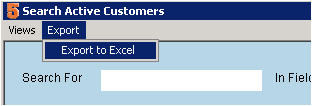
# In Search Active Customers window, click Export and select Export to Excel. [[File:ExportToExcel.jpg]] | |||
# In the window that opens, Click OK and Excel will launch will your customer data. | |||
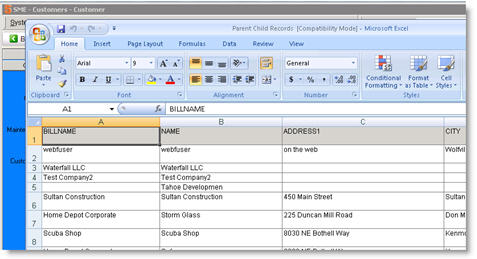
# Use the Excel tools to manipulate the data. [[File:Excel.jpg]] | |||
# [[Excel on Hosted Server]] | |||
[[File:Excel.jpg]] | |||
Latest revision as of 15:57, 17 March 2014
- In Search Active Customers window, click Export and select Export to Excel.
- In the window that opens, Click OK and Excel will launch will your customer data.
- Use the Excel tools to manipulate the data.
- Excel on Hosted Server

